

ChatGPT is a language model, based on the GPT (Generative Pre-trained Transformer) architecture. ChatGPT was created by OpenAI, an AI and research company. The company launched ChatGPT on November 30, 2022. It is designed to generate human-like responses to natural language prompts, such as text messages or spoken phrases. It has been trained on a massive corpus of text data from the internet, allowing it to generate responses that are both fluent and contextually relevant. ChatGPT is capable of a wide range of tasks.
What can ChatGPT do?
ChatGPT is a language model that can perform a wide range of conversational tasks. Here are some of the things that ChatGPT is capable of:
- Answering questions: ChatGPT can provide information on a variety of topics, from basic factual questions to more complex queries that require reasoning and inference.
- Generating responses to natural language prompts: ChatGPT can respond to open-ended prompts with coherent and contextually relevant responses. It can engage in small talk, tell stories, and even provide opinions and advice.
- Translation: ChatGPT can translate text from one language to another, allowing it to facilitate communication between people who speak different languages.
- Text summarization: ChatGPT can summarize long pieces of text into shorter, more digestible summaries, making it useful for tasks such as news aggregation or research.
- Sentiment analysis: ChatGPT can analyse the sentiment of a piece of text, allowing it to determine whether the text expresses a positive, negative, or neutral sentiment.
- Content generation: ChatGPT can generate text in a variety of styles and formats, including poetry, fiction, and news articles.
- Personalization: ChatGPT can be fine-tuned on specific data sets to create a more personalized experience. For example, it can be trained on a customer service database to provide more accurate and relevant responses to customers.
- Dialogue management: ChatGPT can be used as the core component of a chatbot, and it can be combined with dialogue management techniques to create a more sophisticated conversational experience.
- Language modelling: ChatGPT can be used as a language model to generate text in a specific style or genre. For example, it can be trained to write news articles or product descriptions.
- Natural language understanding: ChatGPT can be combined with natural language understanding (NLU) techniques to create more advanced chatbots that can understand user intent and carry out complex tasks.
- Content filtering: ChatGPT can be used to filter content and identify potentially harmful or inappropriate content, such as hate speech or fake news.
How to start?
To start using ChatGPT, you can either interact with it through a platform that supports it, such as OpenAI’s website, or you can integrate it into your own applications using OpenAI’s API.
Here are the steps to use ChatGPT:
- Sign up. The first step to use chat CGP is to sign up on OpenAI. Visit https://chat.openai.com/auth/login.
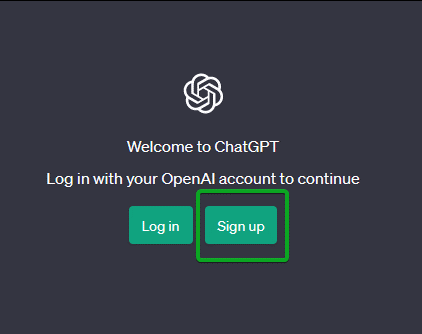
- Create an account on ChatGPT. Click on the Sign Up option. Create an account if you don’t already have one.
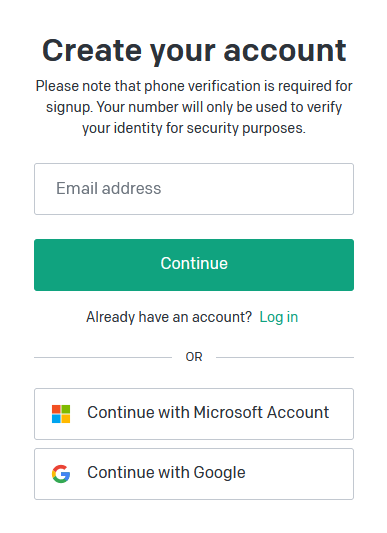
- Verify your Account. After you have successfully signed up for ChatGPT, the next step is to verify your account. If you signed up through your email, then a verification email will be sent to your inbox.
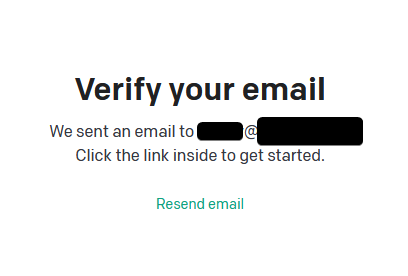
- Follow the link sent to your email and complete the verification process:
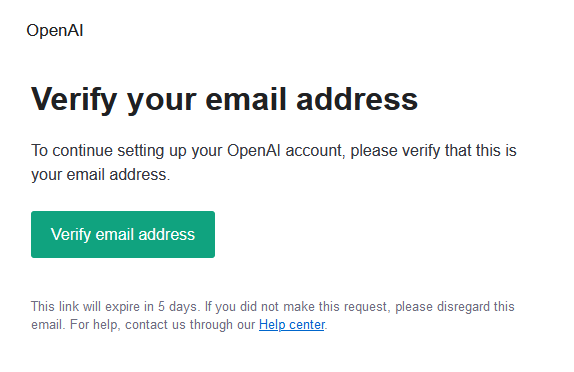
Fill up the details asked and proceed: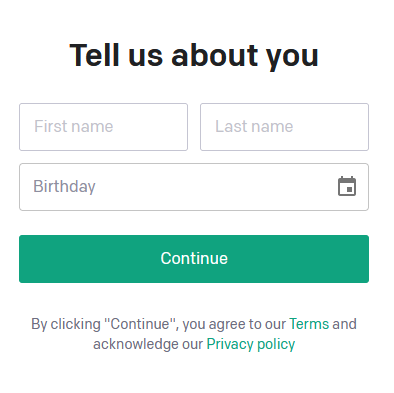
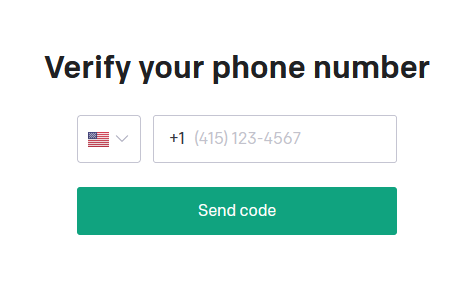
- Verify your phone number if asked to. The verification is done by entering your phone number, requesting the verification code by clicking on “Send code” and then entering the code you’ve received.
- Once you’re signed in, you can start interacting with ChatGPT. Simply type in your message in the input box on the bottom side of the screen, and ChatGPT will respond on the upper side of the screen.
How to use ChatGPT after account creation?
How to get familiar with ChatGPT?
To get familiar with the ChatGPT window, here are a few steps you can take:
Start by reading the instructions or prompts displayed in the ChatGPT window. They will provide you with guidance on how to interact with the system.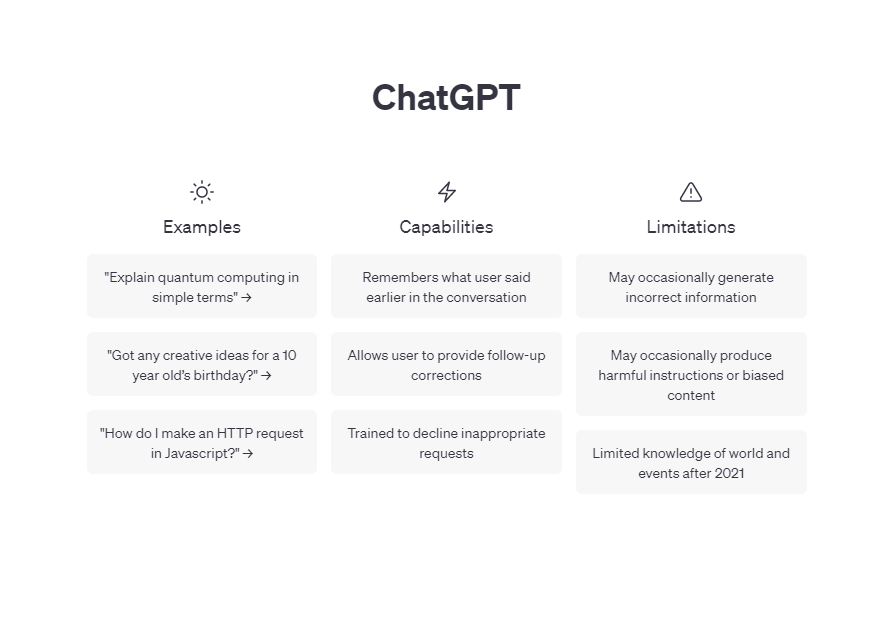
Familiarize yourself with the layout of the ChatGPT window. It typically consists of a message input box, message display area and sidebar containing history and various controls.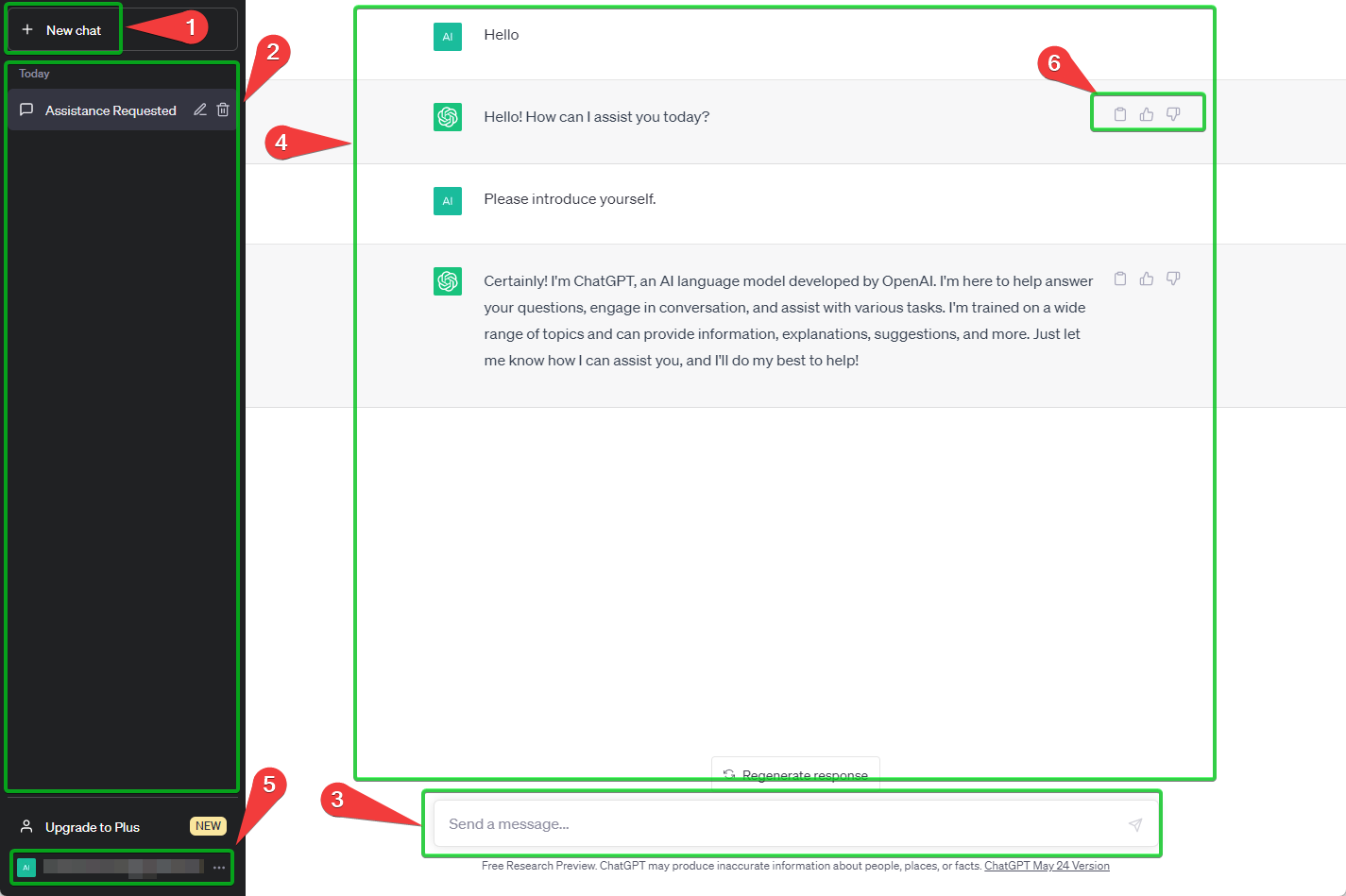
- New chat button: On the left-hand side of your screen, you’ll see a button for New chat that you can click on to start a new conversation at any time. This is useful because the ChatGPT model remembers what was previously discussed in a conversation and will respond with context, so starting a new chat will clear a new conversation without prejudice.
- Chat history: The left sidebar also keeps all your previous conversations accessible, in case you need to go back to one, though there is the option of turning off chat history.
- Type a message or question into the input box and hit enter to submit it. ChatGPT will then process your message and generate a response.
- Pay attention to the response generated by ChatGPT. It will be displayed in the message display area of the window. You can read the response and continue the conversation by typing another message into the input box. Experiment with different types of questions and messages to see how ChatGPT responds. You can ask it questions about a wide range of topics, from general knowledge to more specialized fields.
- Account: Clicking on your e-mail address or name on the bottom left of your screen will give you access to your account information, including settings, the option to log out, and help and FAQ from OpenAI.
- Copy, Thumbs up, Thumbs down: Each time ChatGPT replies, you can copy the text to your clipboard to paste elsewhere and also provide feedback on whether the response was accurate or not, this process helps fine tune the AI tool-
If you ever get stuck or need help, try to consult Help and FAQ from the menu (5). Alternatively, you can also try searching for answers online or contacting customer support for assistance.
How to integrate ChatGPT into applications?
If you want to integrate ChatGPT into your own applications, you can use OpenAI’s API. Here are the steps:
- Go to the OpenAI API website at https://beta.openai.com/docs/api-reference/introduction
- Sign up for an API key and follow the instructions to create an account if you don’t already have one.
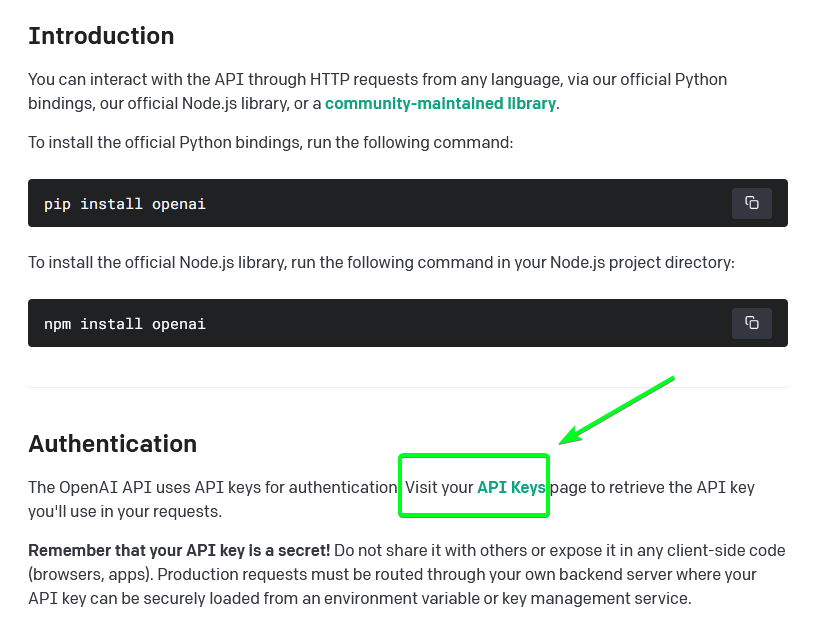
- Use the API to send requests to ChatGPT and receive responses. The exact implementation will depend on your programming language and framework, so be sure to consult the API documentation for more information.
After you have created an account on the OpenAI website, you can also test the ChatGPT API functionality by following these steps:
- Visit OpenAI API Playground.
- Select the “Chat” option from the “Mode” dropdown menu, if not already selected.
- Type in a prompt or question in the input box marked “USER” on the right side of the screen.
- Click on the “Submit” button or press Ctrl+Enter to submit your prompt to ChatGPT.
- ChatGPT will generate a response on the right side of the screen. You can continue the conversation by typing in additional prompts and questions, after clicking “Add message” button.
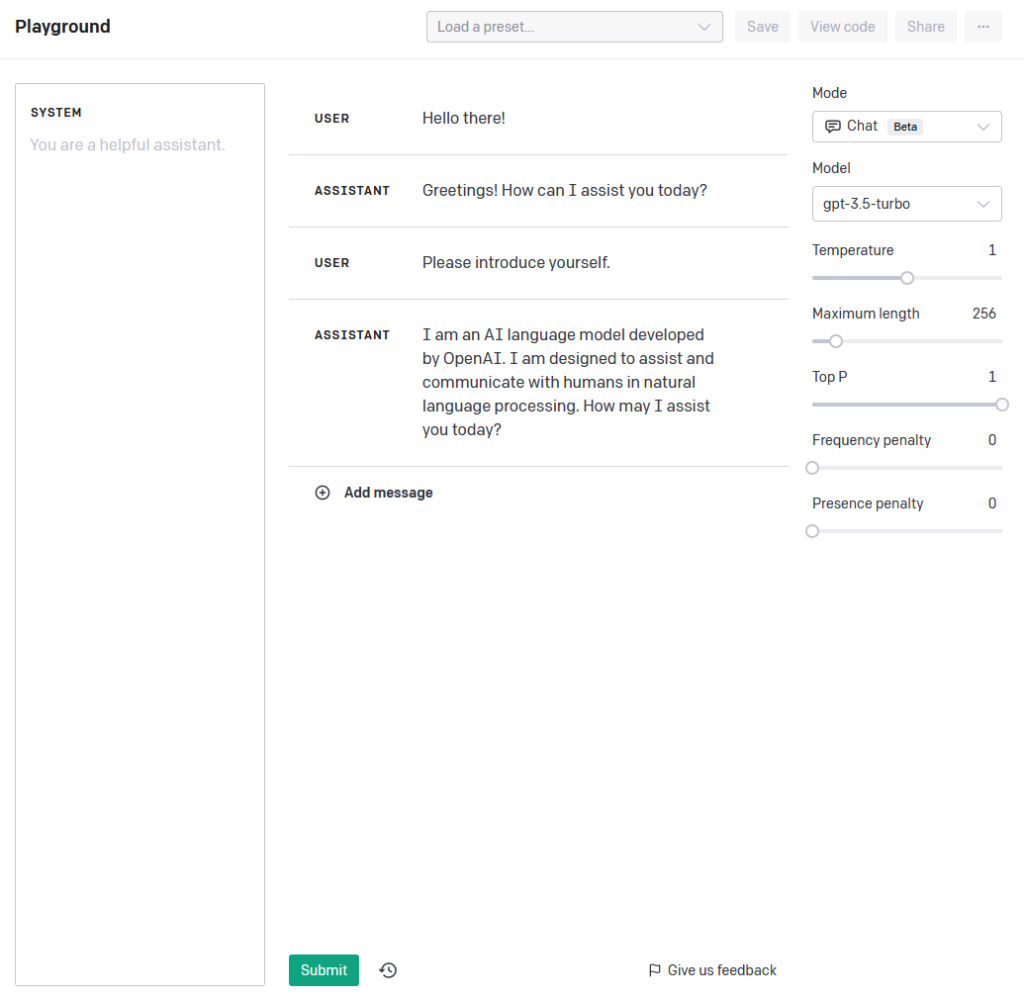
You can customize the prompts that ChatGPT uses to generate responses by editing the “System” field to the left of the input box. You can also adjust the “Temperature” setting to control the level of creativity in ChatGPT’s responses, and the “Maximum Length” setting to limit the length of the responses.
Closing thoughts
In conclusion, ChatGPT is a powerful language model developed by OpenAI that excels in various conversational tasks. It can answer questions, generate coherent responses, translate text, summarize content, analyze sentiment, generate personalized text, manage dialogues, perform language modeling, understand natural language, and filter content. To start using ChatGPT, you can sign up on OpenAI’s website or integrate it into your own applications using the OpenAI API. Familiarizing yourself with the ChatGPT window and experimenting with different prompts will help you make the most of this tool. Whether you’re seeking information, engaging in small talk, or developing sophisticated chatbots, ChatGPT offers a wide range of capabilities to enhance your language-based applications.